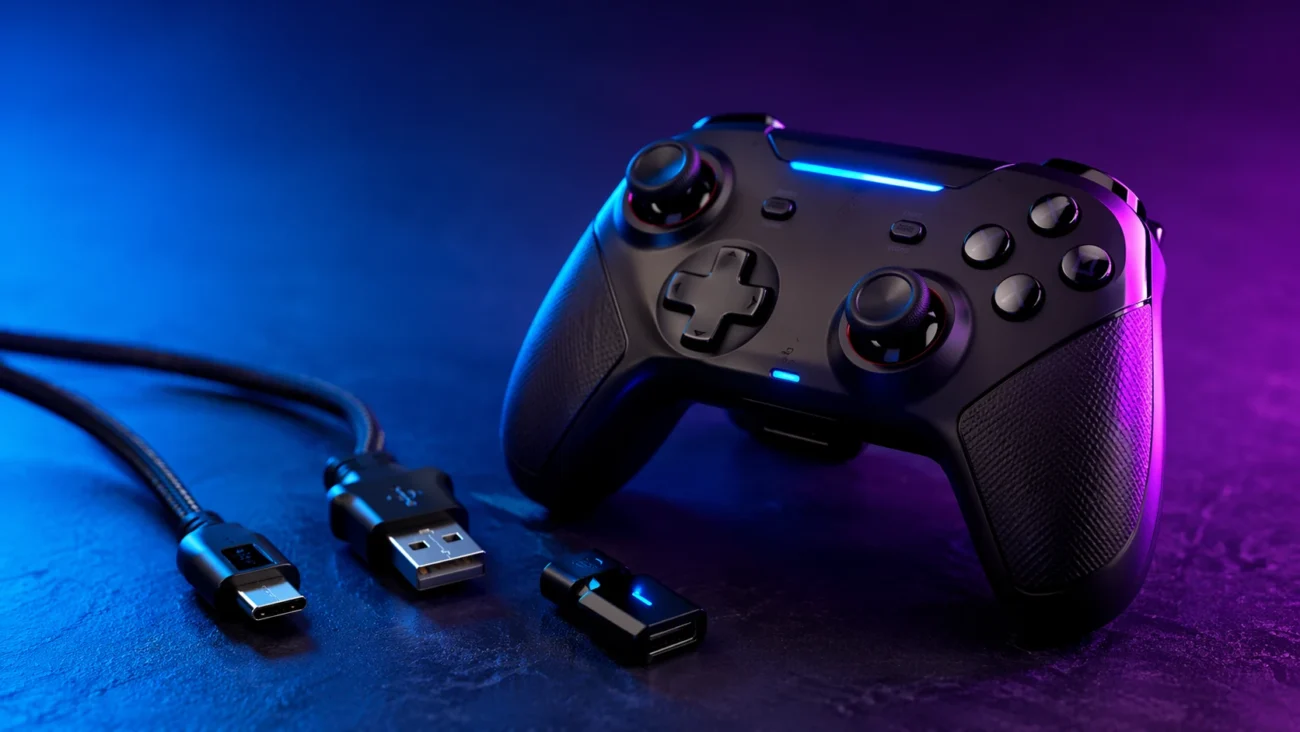
Search for “connector hssgamepad” and you’ll notice something odd right away. The results don’t quite agree with each other. Some pages treat it like a specific hardware port. Others describe it as a general way of connecting a controller. A few stretch the term so far it starts to lose meaning altogether.
That confusion isn’t accidental. It reflects a broader problem with how certain tech terms circulate online—especially those tied to lesser-known brands or loosely documented products. And HSSGamepad sits right in the middle of that ambiguity.
So let’s clear it up. This isn’t just a guide to plugging in a controller. It’s an attempt to figure out what “connector hssgamepad” actually refers to, what’s real, what’s guesswork, and what users need to know if they’re trying to get one of these devices to work.
What “Connector HSSGamepad” Is Supposed to Mean
At its simplest, the phrase points to how an HSSGamepad controller connects to another device. That could be a PC, a smartphone, a tablet, or a smart TV. In that sense, “connector” isn’t a single part. It’s a catch-all term covering cables, wireless pairing, and even USB dongles.
But here’s where it gets messy. The phrase isn’t tied to a clearly defined standard. You won’t find a technical specification called “HSSGamepad connector” in the way you would for USB-C or Bluetooth 5.0. Instead, it shows up mostly in blog posts and support-style pages that describe general connection methods without always naming exact models or components.
So what does this actually mean? In practice, people using the term are usually talking about one of three things: a physical cable (often USB), a wireless connection like Bluetooth, or a small receiver that plugs into a device. The problem is that all three get labeled the same way, which makes troubleshooting harder than it needs to be.
Is HSSGamepad a Real Brand or Just a Search Term?
This is where things get interesting. There is a website operating under the name HSSGamepad, publishing articles about controllers, connectivity, and troubleshooting. But beyond that, clear signs of a traditional hardware brand—such as widely distributed products, consistent model numbers, or major retail listings—are harder to pin down.
That doesn’t mean the controllers don’t exist. It means the documentation around them is thin. The site content reads more like general tech advice than manufacturer-issued specifications. Authors are often listed generically, and product-level detail is limited.
For readers, that creates a trust gap. When a brand lacks strong external validation—independent reviews, known retailers, or detailed spec sheets—it becomes difficult to separate real product behavior from repeated assumptions. That’s why the phrase “connector hssgamepad” feels so vague. It’s built on a foundation that hasn’t been fully clarified in public sources.
How HSSGamepad Controllers Likely Connect
Even with the uncertainty around branding, the connection methods themselves are familiar. Most modern gamepads rely on a mix of wired and wireless options, and HSSGamepad appears to follow that same pattern.
Wired USB Connections
The most straightforward setup uses a USB cable. Plug the controller into a PC or compatible device, and it should be recognized automatically or with minimal setup. This approach tends to be the most stable because it avoids interference and battery limitations.
That said, not all USB cables are equal. A worn or low-quality cable can cause intermittent disconnections, lag, or failure to register inputs. If someone is searching for “connector hssgamepad,” there’s a good chance they’re dealing with exactly this kind of issue.
Bluetooth Pairing
Wireless play is where things start to vary. Many controllers support Bluetooth, allowing them to connect to phones, tablets, and laptops without a cable. Pairing usually involves holding a button combination until the device appears in the Bluetooth menu.
But Bluetooth isn’t perfect. Signal interference, outdated drivers, or mismatched compatibility can all lead to dropped connections. If a controller works one day and fails the next, the problem often isn’t the controller itself—it’s the wireless environment around it.
2.4GHz Dongle Connections
Some controllers use a small USB receiver that plugs into the host device. This method often offers lower latency than Bluetooth and can be more stable for gaming sessions that require quick response times.
Here’s the catch, though. These dongles are easy to lose, and replacements aren’t always easy to find—especially when dealing with brands that don’t have strong retail or support networks. If the “connector” in question is actually a missing dongle, the solution isn’t a setting tweak. It’s a hardware replacement.
Compatibility Claims: What Works and What’s Unclear
A lot of online content suggests that HSSGamepad controllers work across multiple platforms—Windows PCs, Android devices, iPhones, smart TVs, and even some consoles. On paper, that sounds ideal. One controller for everything.
But compatibility is rarely that simple. Each platform has its own requirements, and not all controllers meet them equally well. A controller might connect to a phone but lack full button mapping. It might work on a PC but require additional drivers.
Without detailed, model-specific documentation, these claims remain hard to verify. That doesn’t mean they’re false. It means users should approach them with caution and be ready for trial and error.
Why the Connection Matters More Than You Think
For casual use, a slightly unstable connection might seem like a minor inconvenience. But in gaming, even small delays can change the experience. A fraction of a second between pressing a button and seeing the result can make fast-paced games feel unresponsive.
Connection quality also affects battery life, consistency, and long-term reliability. A controller that disconnects mid-session or fails to pair quickly becomes frustrating, no matter how good it feels in hand.
That’s why understanding the “connector” isn’t just about plugging something in. It’s about knowing how the controller communicates with your device and what can go wrong along the way.
Common Problems Users Run Into
The search traffic around this term suggests a pattern. People aren’t just curious about what the connector is. They’re trying to fix something.
Connection failures are among the most common issues. A controller that won’t pair, won’t stay connected, or isn’t recognized at all can stop a gaming session before it starts. Often, the cause is simple: a drained battery, a faulty cable, or a device that isn’t in pairing mode.
Interference is another frequent problem. Bluetooth signals can be disrupted by other wireless devices, crowded networks, or even physical obstacles. Moving closer to the host device or turning off nearby electronics can sometimes resolve the issue.
Then there are driver and firmware concerns. On PCs in particular, outdated drivers can prevent proper recognition. Without clear official support channels, users may struggle to find updates or instructions.
How to Tell What’s Actually Wrong
Troubleshooting becomes easier once you narrow down the type of connection. If you’re using a cable, inspect it for wear and try a different port. If the controller works intermittently, the issue is likely physical.
With Bluetooth, the process is different. Remove the device from the pairing list and reconnect it from scratch. Restart both the controller and the host device. These steps sound basic, but they solve a surprising number of problems.
For dongle-based connections, check whether the receiver is properly inserted and recognized. If it isn’t, the problem may not be the controller at all. It could be the USB port or the receiver itself.
The key is to treat each connection type separately. Lumping them together under “connector hssgamepad” makes the problem feel bigger than it is.
What’s Missing From the Public Information
Despite the number of articles using this term, there’s a lack of clear, verifiable detail. Specific model names are rare. Official documentation is limited. Independent reviews are hard to find.
That doesn’t mean the ecosystem doesn’t exist. It means the public record is incomplete. For users, that translates into uncertainty. You’re relying more on trial and error than on structured guidance.
In a market where major controller brands publish detailed specs and support pages, that gap stands out. It’s one reason why the term “connector hssgamepad” feels less like a technical standard and more like a placeholder.
Frequently Asked Questions
Frequently Asked Questions
What is connector HSSGamepad?
It generally refers to the way an HSSGamepad controller connects to another device. That could be through a USB cable, Bluetooth pairing, or a wireless receiver. The term isn’t a formal standard, which is why it’s used inconsistently across different sources.
Is HSSGamepad a real controller brand?
There is a website and content published under that name, but clear evidence of a widely recognized hardware brand is limited. That doesn’t rule out the existence of the controllers, but it does mean users should verify details carefully before making assumptions.
How do you connect an HSSGamepad to a PC?
Most setups involve either plugging in a USB cable or pairing the controller via Bluetooth. If the device supports a USB receiver, that may also be an option. The exact steps depend on the model, which isn’t always clearly documented.
Why does my HSSGamepad keep disconnecting?
Common causes include low battery, signal interference, faulty cables, or outdated drivers. Identifying the connection type helps narrow down the issue and find a solution more quickly.
Does HSSGamepad work with phones and smart TVs?
Some sources suggest compatibility with Android devices and smart TVs, especially through Bluetooth. However, without detailed model-specific information, performance and full functionality can vary.
What should I do if the connector isn’t working?
Start by identifying whether you’re using a cable, Bluetooth, or a dongle. Test each component individually, such as trying a different cable or USB port. Resetting the controller and re-pairing it can also resolve many issues.
Conclusion
The phrase “connector hssgamepad” sounds like it should point to something specific. In reality, it’s a loose label attached to a mix of connection methods and a lightly documented product space. That mismatch is why so many users end up confused or stuck.
But once you break it down, the situation becomes more manageable. The controller connects in familiar ways—cable, Bluetooth, or receiver—and each of those has its own set of common issues. The trick is to separate them instead of treating them as one vague system.
There’s a broader lesson here as well. Not every term that shows up in search results represents a well-defined product or technology. Sometimes, it’s a collection of repeated phrases that never got pinned down properly. Recognizing that can save time, frustration, and a lot of unnecessary troubleshooting.
For anyone dealing with an HSSGamepad device, the next step isn’t chasing the perfect definition. It’s identifying how your controller connects, testing that method carefully, and working from there. Clarity doesn’t always come from the label. It comes from understanding what’s actually happening under the hood.
